Page 7 of 7
Re: Images for display on FluxBB forum
Posted: Thu Jul 02, 2026 2:45 am
by tahanson43206
Robot Image for Education
File size is limited to 256 Kb ... previous image is 281 Kb in jpg
Dr. GW Johnson on Robot Arm

- RobotArm-one-possibility.png (34.61 KiB) Viewed 5076 times
Re: Images for display on FluxBB forum
Posted: Mon Jun 08, 2026 12:57 pm
by tahanson43206
Tether Transfers at Mars by GW Johnson

- tether transfers.png (47.06 KiB) Viewed 5016 times
Re: Images for display on FluxBB forum
Posted: Sun May 10, 2026 5:15 pm
by tahanson43206
Drawings of aircraft wing rib types
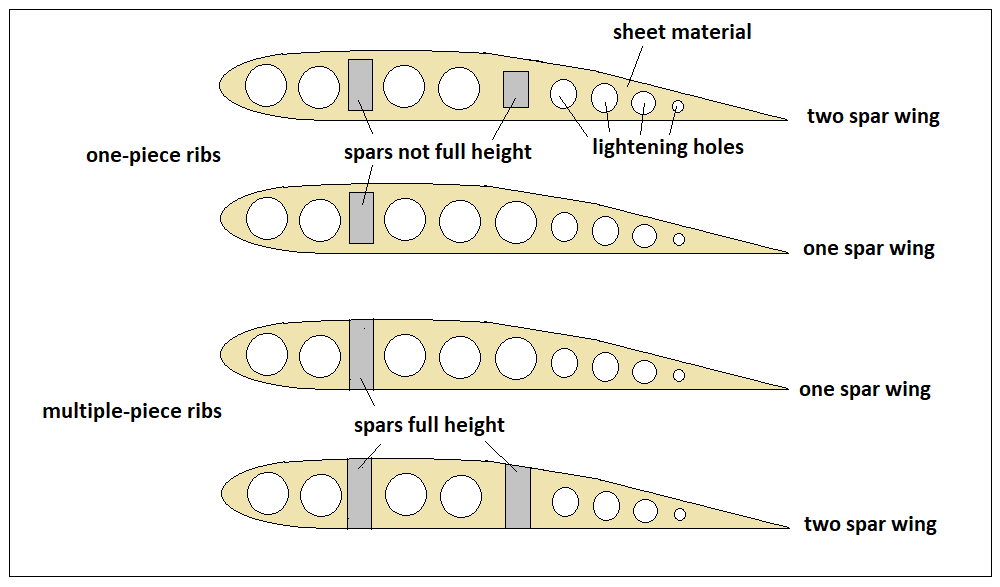
- simple wing ribs.png (27.38 KiB) Viewed 5216 times
Re: Images for display on FluxBB forum
Posted: Sat May 09, 2026 5:18 pm
by tahanson43206
This image shows an airfoil model after slicing

- 20260509AirfoilInPrinteruYjtMz.png (184.44 KiB) Viewed 5033 times
Re: Images for display on FluxBB forum
Posted: Wed May 06, 2026 2:36 am
by tahanson43206
Image of slicer software for belt printer

- 20260505IdeaFormerObxC30.png (204.6 KiB) Viewed 4897 times
Re: Images for display on FluxBB forum
Posted: Thu Apr 30, 2026 2:02 pm
by tahanson43206
Re: Images for display on FluxBB forum
Posted: Mon Apr 13, 2026 1:50 pm
by tahanson43206
These images were provided by GW Johnson ... they would have come from the US Navy or NASA originally...
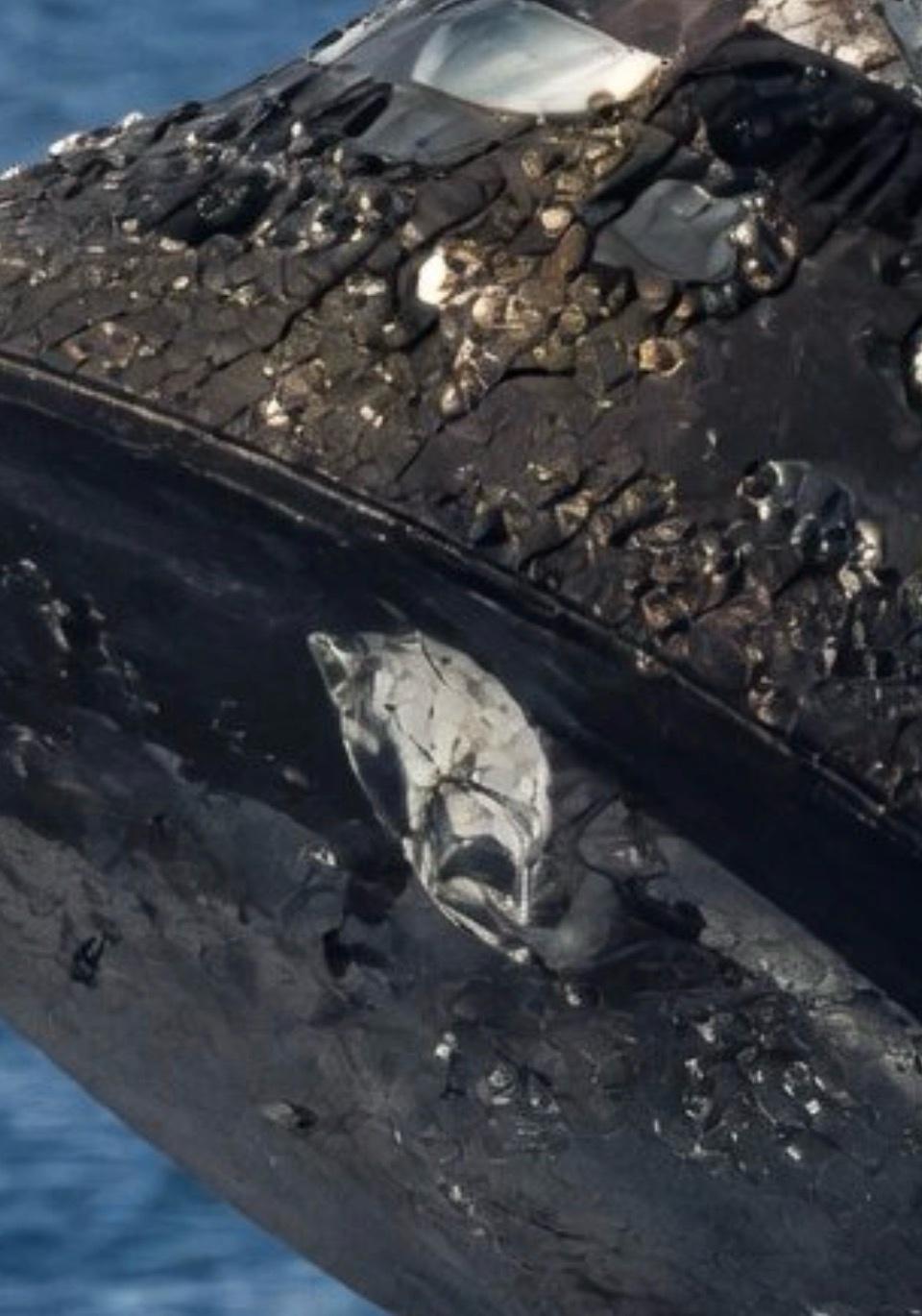
- Artemis 2 heat shield.jpg (111.24 KiB) Viewed 4754 times
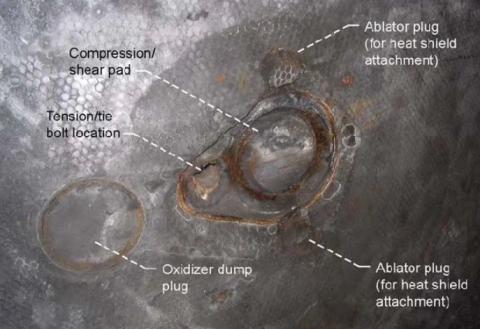
- Apollo 11 heat shield.jpg (25.34 KiB) Viewed 4754 times
Re: Images for display on FluxBB forum
Posted: Thu Apr 09, 2026 12:32 pm
by tahanson43206
This post is reserved for an Index to images that may be stored in this topic.
Index:
(th)
Images for display on FluxBB forum
Posted: Thu Apr 09, 2026 1:05 am
by tahanson43206
This topic is available for members to store images to be displayed on the FluxBB forum.
Procedure: Use the Attachments button below.
Use the Add files (you can save png or jpg files)
Please note that file size is limited to 256 Kb. That should be more than adequate for most purposes.
After you have added a file, the next step is to click on the menu to copy the item to the open edit window
Then use Submit to store the post.
Finallty, select the link address from the image you just saved, and paste that link into your FluxBB post.
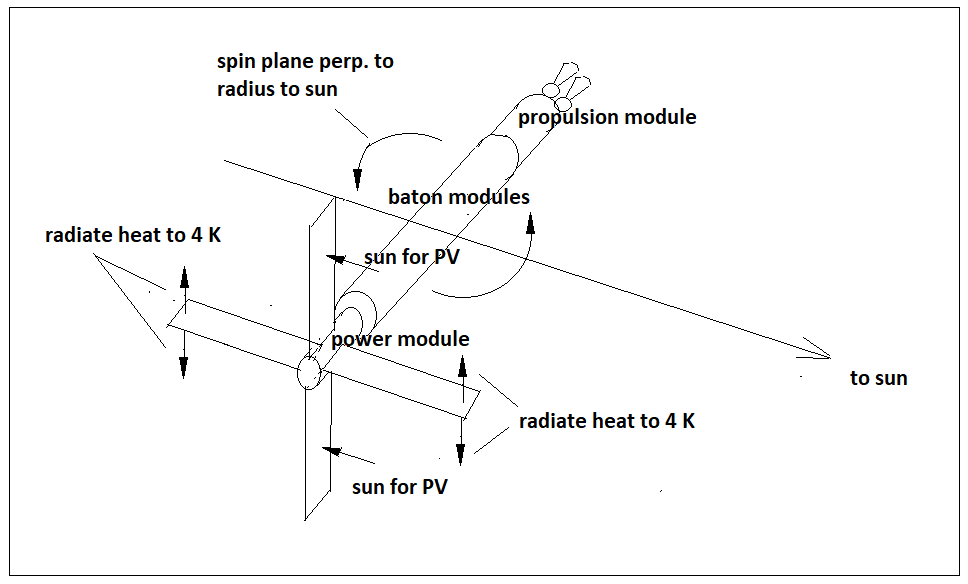
- Baton how to PV and heat.png (20.82 KiB) Viewed 4260 times
(th)